
Your wall, rendered
— exactly as it will look.
Upload a photo of your space and our AI renders the wallpaper into your room with realistic light, scale, and depth. No guesswork. No flat overlays. Just confidence before you order.
One bare wall. One real render.
Slide across the image — the wallpaper isn’t pasted on top. Our AI reads the room and rebuilds the surface with true perspective and lighting.
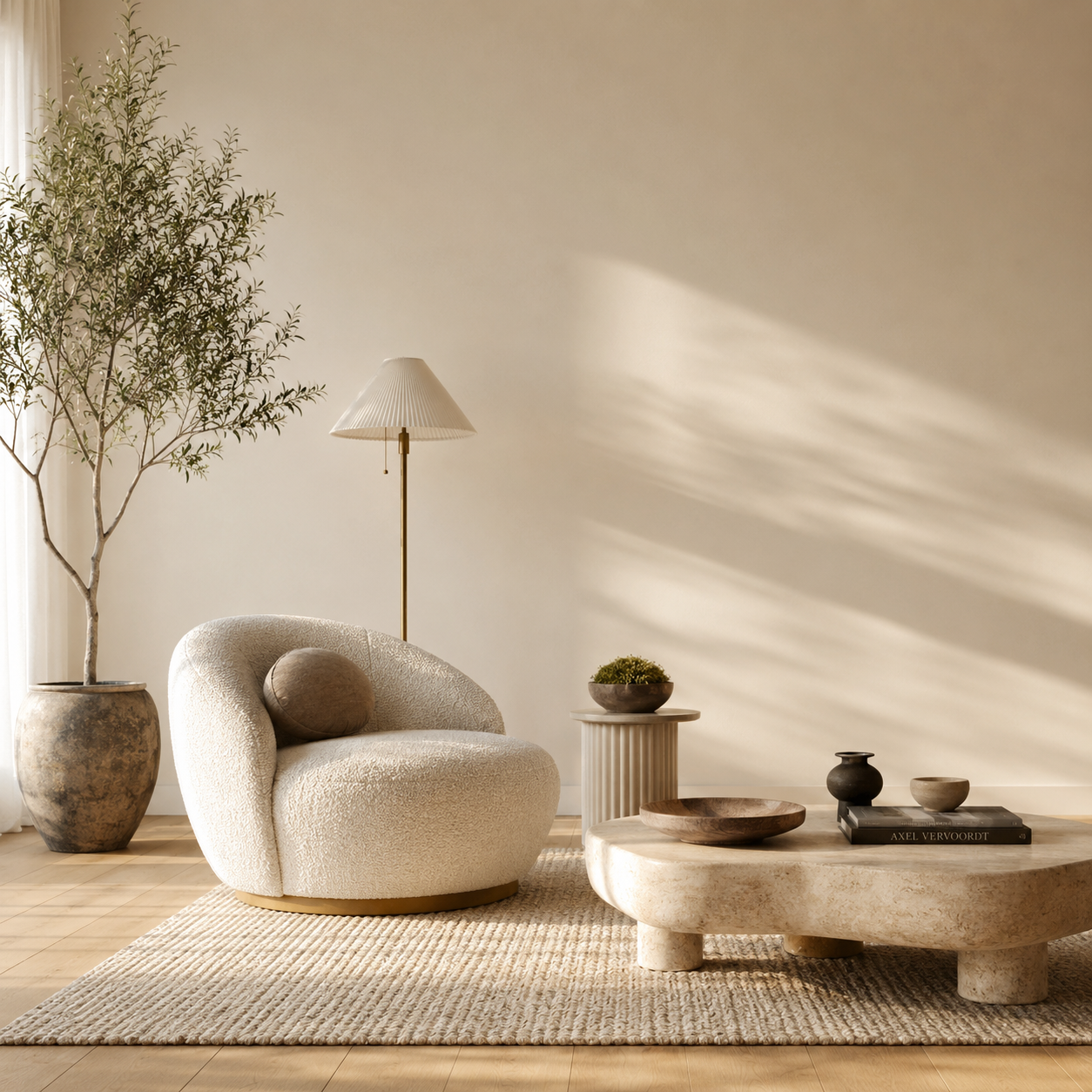
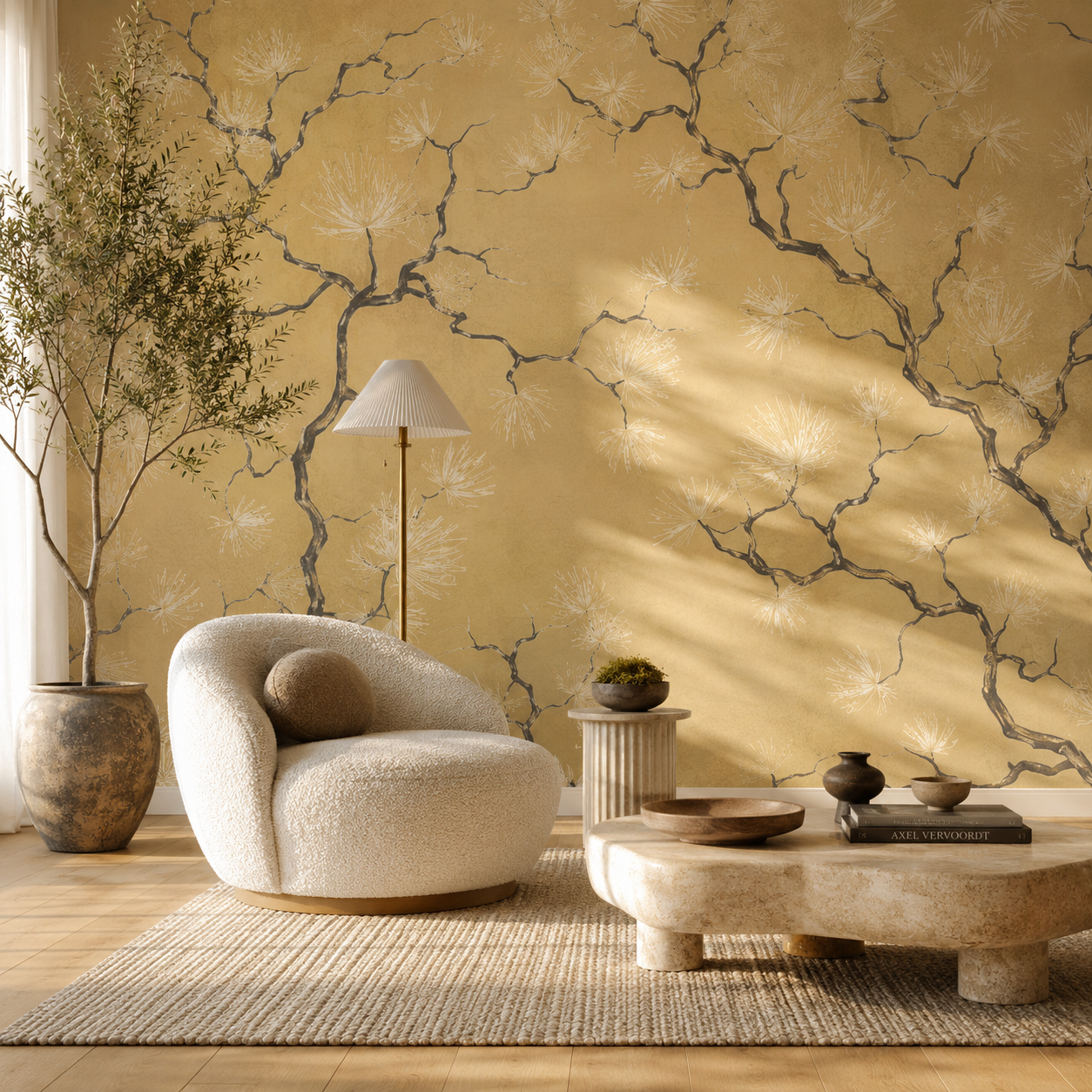
A preview to inspire — not a final proof.
See your favorite wallpaper in your own space before you order. Our AI mockup tool creates a visual preview to help you imagine the style, mood, and overall look of your selected design. Mockups are for inspiration and visual reference only — colors, scale, texture, lighting, and pattern placement may vary from the final installed result depending on your room, wall size, lighting, screen, and the wallpaper material itself.
Three steps to certainty.
Built for homeowners and designers who refuse to gamble on a $200 roll. Powered by the same expertise behind every install we do.
Snap your space
Take a quick photo of the wall you want to transform — phone or camera, any angle. No measuring, no setup.
AI does the rendering
Our engine reads the geometry, light, and surfaces of your room and renders the wallpaper into it — not a flat sticker, a true preview.
Decide with confidence
See exactly how the pattern lives on your wall. Love it? Order a sample or the full rolls in a couple of clicks.
Not a flat sticker.
Your actual wall.
Most “visualizers” paste a flat pattern over a stock photo. The scale is wrong, the light is wrong, and it shows. Ours renders the design into your real room — so what you see is what you’ll get.
The everyone-else way
A flat overlay slapped on a generic room. Distorted scale, fake lighting, zero realism.
True light & shadow
The render respects how light falls across your wall, so the pattern reads naturally.
Real scale & perspective
The pattern is sized and angled to your actual room — corners, depth, and all.
Try any wallpaper in your own room — in seconds.
The preview lives right on every product page. Pick a design you love, upload a photo of your space, and our AI shows you how it looks before you order.
Find a wallpaper
Browse by color, design, room, or style and open any wallpaper you like.
Tap the preview button
On the product page, click the button that opens the AI preview tool.
“Preview this wallpaper in your room”Upload a photo
Snap or upload a picture of the wall you want to transform — any angle works.
See it rendered
Our AI places the design on your wall with real light and perspective. Love it? Order in a couple of clicks.
Ready to try it? Open any wallpaper and look for the “Preview this wallpaper in your room” button.
Browse Wallpapers → Beige
Beige Black
Black Blue
Blue Brown
Brown Copper
 Cream
Cream Gold
Gold Green
Green Grey
Grey Orange
 Pink
Pink Purple
 Red
Red Silver
 White
White Yellow
 Abstracts
 Architecturals
 Botanicals & Tropicals
 Damasks & Scrolls
 Florals
 Geometrics
 Ikat, Shibori & Watercolor
 Jacobean & Tapestry
 Medallions
 Novelty & Pop Culture
 Paisleys
 Small Prints
 Stripes, Plaids & Checks
 Textures
 Tiles
Tiles Toiles
 Accent Wall
 Bedroom
 Ceiling
 Dining Room
 Hallway/Entryway
 Living Room
 Nursery & Kids
 Office/Study
 Powder Room/Half Bath/Bathroom
 Animals, Birds & Insects
 Asian & Chinoiseries
 Bohemian
 Farmhouse
 Industrial
 Kids & Nursery
 Nautical